Enjoy prompt and secure payment of your eligible travel insurance claim via Direct Deposit or Interac e-Transfer®. It’s the fastest way to receive your claim directly to any Canadian bank account. Follow the instructions below to complete your claim deposit. Step 1: Submit Your Claim File your claim through our online claims portal. Make sure we have your current contact number and email address on file. |

Digital Claims Payments
Information About Digital Claims Payments
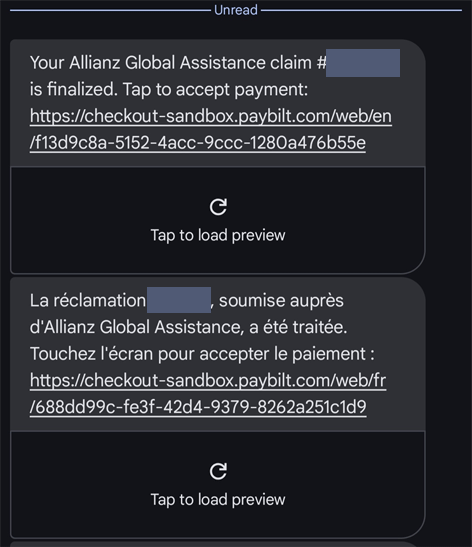
Step 2: You’ll Receive a Payment Notification
When your payment is ready, you’ll receive an email or text (examples below) from our payment partner.

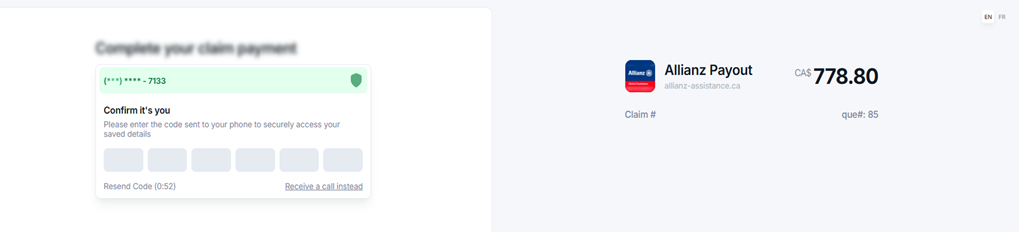
Step 3: Accept Your Payment
Click the "Accept payment" button in the email or tap the link in the text message. You will get a text message verification to the number we have on your file. You can hit 'Receive a call instead' if the number is a home phone.
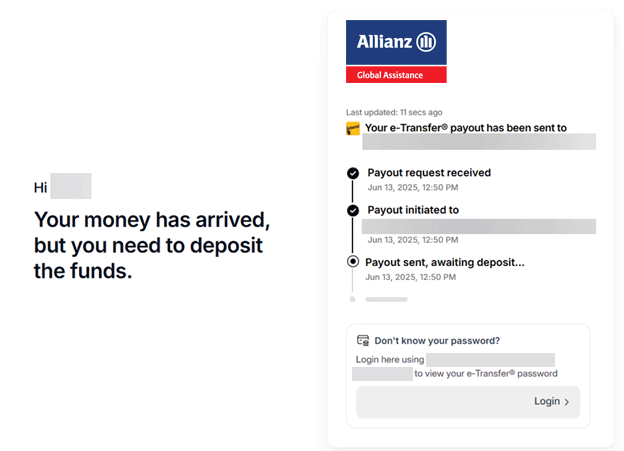
Step 4: Deposit Your Funds
Choose how you'd like to receive your money: either with a Direct Deposit to your bank account or Interac e-Transfer®.
If you don't have Autodeposit set up, you'll receive a follow-up email with a secret answer:
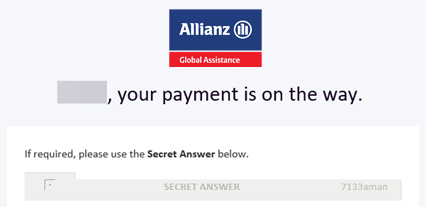
If required, use the Secret Answer provided in the notification to complete your deposit.
Tips
- Enable Autodeposit with your bank. If this is not turned on, you will receive an email from our partner Paybilt with a secure password in order to accept your claims payment.
- Double-check your contact information. Make sure we have your most up-to-date Canadian contact number and email address.
- Check your junk/spam folder if you do not receive an email from us and you are expecting payment of your travel insurance claim.
Need Help?
If you have any questions, visit our Claims Portal or review our Explanation of Benefits.
For more information about Paybilt, the secure payment platform that powers digital claims, visit paybilt.com.

Online Claims Portal
Submit your non-medical claims such as Trip Cancellation, Trip Interruption, Lost or Delayed Luggage, as well as medical out-of-pocket expenses through our secure online Claims Portal.